


FFL Plants & Pollinators
4.314.00 Reviews
App Specs
- Version
- 4.0.30
- Updated On
- License
- Free
- Downloads
- 10,000+
- Developer
- UF/IFAS IT
- Categories
- House & Home
- Platform
- Android
Screenshots
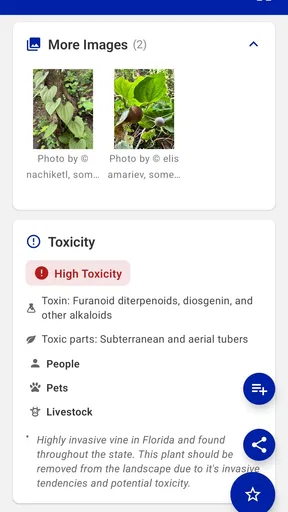
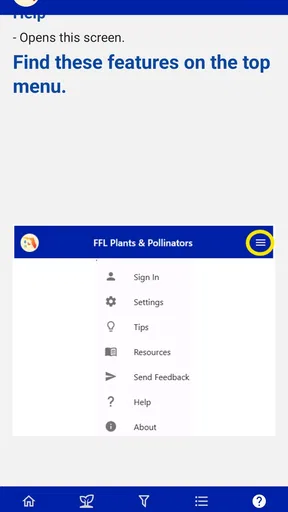
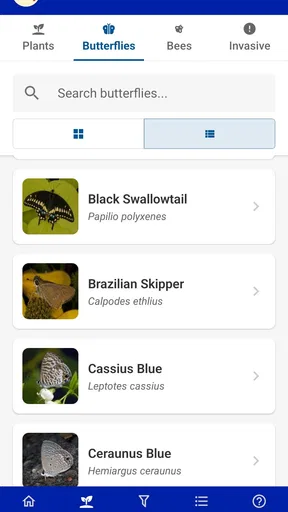
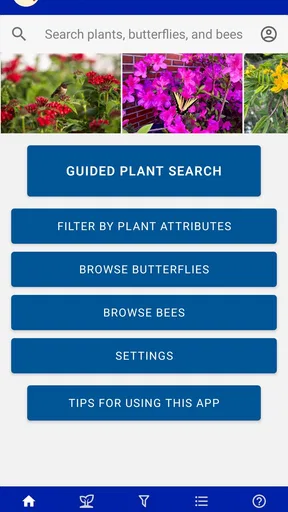
 Analysis by AppCompare
I found FFL Plants & Pollinators most useful when I treated it as a practical planning companion rather than a complete gardening encyclopedia. Its focus is Florida-friendly plants and pollinators, which gives the app a clear purpose: helping people make more suitable choices for gardens, yards, balconies, and other growing spaces in Florida. I like that narrow focus because plant advice becomes much more useful when it reflects local conditions instead of offering the same suggestions to everyone.
The app is a free House & Home app from UF/IFAS IT, and it is available to an Everyone audience. It is currently listed as version 4.0.30, with support beginning at Android 7.0. That combination makes it easy to approach: there is no purchase decision to make before trying it, and the subject is relevant to both experienced gardeners and people choosing their first plants. My main recommendation is to use it before buying anything, not after a disappointing plant has already been placed in the wrong spot.
How the app earns its place in a Florida gardening routine
The strongest part of FFL Plants & Pollinators is its regional point of view. A plant that looks attractive in a general gardening app may still be a poor match for Florida’s heat, rainfall patterns, soil conditions, or neighborhood setting. A Florida-specific reference can narrow the search in a more sensible way, especially when the goal is to create a landscape that feels intentional rather than assembling plants from whatever happens to be available at a local store.
I would open it at the beginning of a project, while I am still deciding what belongs in the space. That timing matters. If I already have a shopping cart full of plants, I am more likely to look for confirmation than to make a careful choice. Using the app first encourages a better sequence: observe the space, think about the purpose of the planting area, explore suitable options, and only then compare availability at a nursery or garden center.
The pollinator angle also adds a useful layer to ordinary plant selection. Instead of judging a plant only by flowers or appearance, I can think about what the planting may contribute to the surrounding environment. That does not mean every garden needs to become a large wildlife project. Even a small arrangement can benefit from considering plants as part of a living space rather than as isolated decorations.
In everyday terms, this is the kind of app I would use while standing near a sunny side yard with a phone in hand, trying to avoid buying something that will struggle a few weeks later. I would also use it when replacing a tired bed, choosing plants for a new home, or explaining to a family member why a locally appropriate option may be more sensible than the most eye-catching plant in the shop.
What the free access means for its value
FFL Plants & Pollinators is free, so its value is not about comparing subscription tiers or deciding whether a premium upgrade is worthwhile. The practical question is simpler: does it help me make better plant decisions without adding cost to the project? In my view, it can, particularly if it prevents even one unsuitable purchase or helps turn a vague landscaping idea into a more focused plan.
Worth Reading Before You Choose

EA SPORTS FC Mobile 26 Is a Bigger Football Game, but It Takes Time

Flipboard Shows What News Apps Must Do Beyond the Feed

Switching to Android Auto Means Rethinking Your Driving Routine

Google Calendar Makes a Crowded Week Easier to Manage

Ludo King Makes the Most of the Minutes Between Plans

Baby Panda World Brings Quick Play to Modern Phones, but Its Game Library Feels Busy
Free access is especially helpful for occasional users. Someone who gardens only a few times a year may not want to pay for a specialist reference that sits unused between projects. Here, the app can be installed when a decision comes up, consulted during planning, and kept available for later checks without making the garden budget more complicated. That is a good fit for renters, new homeowners, and people experimenting with a small outdoor space.
It is also useful for households where more than one person makes planting decisions. One person can browse at home, another can check the same choices while shopping, and both can discuss plants using a shared local purpose instead of relying on memory. I would still verify what a nearby nursery has in stock separately, because a useful plant guide and a live inventory service solve different problems.
The app’s public reception is encouraging without being a reason to accept every suggestion automatically. It holds a 4.3 average from around thirty ratings and has over ten thousand installs. I read those figures as signs that it has found a real audience, not as proof that it will suit every garden or every phone. A specialist app can be valuable to the right user even when it is not designed to replace broader gardening tools.
A better workflow than browsing plants at random
My preferred workflow begins with the site rather than the plant. I would note whether the area is bright, partly shaded, exposed, sheltered, dry, or likely to receive extra water. I would then use the app to explore possibilities that fit the Florida-friendly purpose, rather than starting with a favorite flower and trying to force it into the space. This small change reduces impulse buying and makes the final planting more coherent.
A second useful habit is to create a shortlist instead of choosing the first appealing result. I would keep several candidates in mind and compare them by the role they need to play: a visible centerpiece, a lower layer, a border, or a plant selected partly for pollinator interest. This approach turns the app from a simple catalog into a decision aid. It also leaves room for practical issues such as nursery availability and the amount of care I can realistically provide.
A third tip is to use the app before visiting the store and again while shopping. The first visit is for planning; the second is for checking whether the plants in front of me still match the original idea. That two-step process is more reliable than trying to remember names from a quick browse at home. It also helps me resist substituting a visually similar plant without considering whether it serves the same purpose.
For a small balcony or container garden, I would use the app as a source of direction rather than assuming every landscape suggestion transfers perfectly to a pot. Containers dry out differently from beds, and the available space changes the decision. The app can help me think locally and responsibly, while the final choice still needs to account for the limits of the particular growing setup.
Where it is stronger than general alternatives
The usual alternative is a broad plant-identification or gardening app. Those tools can be excellent when I need to identify an unknown leaf, diagnose a visible problem, or browse plants from many regions. Their breadth is their advantage. However, breadth can also make the decision harder because the results may not be organized around Florida-friendly landscaping or pollinator-conscious planning.
FFL Plants & Pollinators has a more useful starting point for a Florida resident who is deciding what to grow, not merely asking what a plant is. Its regional emphasis reduces irrelevant choices and keeps attention on suitability. I would choose it over a general-purpose app when the central question is, “What should I consider for this Florida space?” I would choose the broader tool when the question is, “What is this plant, and why does it look unhealthy?”
Nursery advice remains valuable too, especially for current stock, local availability, and the details of a particular property. The app is not a replacement for walking through the site or speaking with someone who has seen the plant in local conditions. Instead, it helps me arrive at that conversation better prepared. I can ask more precise questions and avoid spending the entire visit browsing without a plan.
Printed guides have one advantage that a phone app does not: they are easy to share around a table and do not depend on opening a device at the moment of discussion. Still, the app is more convenient for a quick check in the yard or garden center. For me, the best comparison is not app versus book, but focused digital reference plus real-world observation versus either one used alone.
Tradeoffs that affect the experience
The narrow scope is both the reason to install this app and the reason some people may outgrow it. If I want indoor plant care, vegetable-growing schedules, pest diagnosis, lawn repair, or a complete landscape design, I would need other resources. Someone looking for one app to manage every part of gardening should skip this one or use it only as a specialist addition.
There is also a difference between choosing an appropriate plant and successfully growing it. A plant can be a sensible Florida-friendly candidate and still fail because the site is poorly drained, the container is too small, watering is inconsistent, or the plant is installed at the wrong time for the local conditions. I would never treat an app recommendation as permission to ignore preparation and observation.
Another tradeoff is that local suitability does not necessarily match personal style. A user may want a very formal garden, a minimalist patio, a dense privacy screen, or a particular color palette. The app’s environmental focus can improve the starting choices, but I still have to make the aesthetic and practical arrangement work. That creative step belongs to the gardener.
I would also keep expectations realistic about shopping. A plant guide can help me decide what to seek, but it does not guarantee that a nearby store will carry every option when I arrive. My workaround is to prepare alternatives before shopping. If my first choice is unavailable, I can consider another candidate with a similar role instead of buying an unrelated replacement simply because it is on the shelf.
For users outside Florida, the regional emphasis is a clear limitation. The app may still be interesting as an example of location-aware gardening advice, but I would not use Florida guidance as a direct substitute for recommendations from my own climate. People in other regions should look for resources built around their local conditions, while Florida residents are the audience most likely to get immediate value here.
Who will get the most from it
I think the best audience is the Florida homeowner or renter who wants to make more thoughtful plant choices but does not want to study a large reference library. It is also a good match for someone beginning a pollinator-friendly project and needing a focused place to start. The free price removes a common barrier, while the straightforward subject keeps the app relevant to a specific household task.
It should appeal to people who are tired of replacing plants that looked promising at the store. The app cannot remove every gardening risk, but it can encourage a more deliberate selection process. That alone may be its most practical benefit: it shifts attention from immediate appearance to whether a plant belongs in the intended Florida setting.
Families could use it as a planning tool for a shared yard project. Children can take part in choosing plants for a space, while adults handle the more demanding questions about placement and care. Community groups, classroom projects, and informal neighborhood planting efforts may also find the regional focus more approachable than a large, general gardening database.
Experienced gardeners may appreciate it differently. They may already know many suitable plants, but the app can still help when planning a new area, broadening a familiar palette, or keeping pollinator considerations in view. For them, its value is less about teaching basic gardening and more about providing a focused reference during a specific project.
I would skip it if I mainly need plant diagnosis, automated reminders, detailed garden record-keeping, or a complete shopping and design system. I would also skip it as a primary resource if I live far outside Florida. In those cases, a diagnostic tool, a garden journal, or a region-specific service may answer the actual question more directly.
My verdict after weighing the practical value
FFL Plants & Pollinators is worth trying because it offers a focused kind of help at no cost. I like it most as a first-stop planning tool: something I consult before shopping, while comparing candidates, and when trying to make a Florida planting area more suitable for local conditions and pollinator interest. Its purpose is clear, and that clarity is more useful than a huge collection of unrelated gardening features.
The app is not a substitute for a nursery professional, a full landscape plan, or careful observation of the site. It also is not the right choice for someone seeking a universal gardening toolbox. Those limits do not undermine it; they define when it works best. The strongest results come when I use it to narrow decisions, then confirm the final plan against sunlight, space, soil, water, maintenance time, and actual availability.
With an average rating of 4.3 and a growing audience of more than ten thousand installs, FFL Plants & Pollinators has enough practical appeal to deserve a place on a Florida gardener’s phone. I would recommend it to a friend who is about to buy plants and wants a more responsible starting point than guesswork. The free access makes that recommendation easy: there is no purchase risk, only the small effort of learning how to apply a focused guide to a real space.
My final advice is to install it before the next garden-center visit, write down the conditions of the area you want to plant, and use the app to build a short list rather than a shopping spree. That is where I see the clearest value. It helps turn “I want something attractive here” into a more considered question about what can belong there, what may support pollinators, and what I am realistically prepared to maintain.
Pros
- Clear plant and pollinator information for beginners
- Encourages awareness of local biodiversity
- Useful reference for garden planning and learning
- Supports environmentally friendly planting choices
- Simple format makes facts easy to browse
Cons
- Coverage may vary by region and local species
- Some information may feel too basic for experts
- Requires interest in gardening or conservation
- May offer limited interactive features
- Plant advice should be checked against local conditions
FAQs for FFL Plants & Pollinators
What is FFL Plants & Pollinators, and what can I do with it?
FFL Plants & Pollinators is an educational app focused on the relationship between flowering plants and pollinating animals. It helps users explore plant and pollinator information, recognize important species, and understand how gardens and natural habitats support biodiversity. The app is especially useful for students, gardeners, families, and anyone interested in learning more about pollination and environmental conservation.
Who is FFL Plants & Pollinators designed for?
The app is suitable for a broad audience, including children learning about nature, teachers preparing classroom activities, families exploring gardens, and adults who want to identify or better understand pollinators. Younger users may benefit from guidance when reading detailed information, while older students and educators can use the content as a convenient reference for lessons, projects, or outdoor observation.
Can FFL Plants & Pollinators be used for school or educational activities?
Yes. FFL Plants & Pollinators can be a helpful companion for lessons about ecosystems, plant reproduction, biodiversity, and conservation. Teachers may use it to introduce pollinators before an outdoor activity or to support research assignments. It also encourages observation and discussion, although it should be considered a learning resource rather than a complete replacement for textbooks, expert instruction, or locally verified scientific information.
Does the app work without an internet connection?
Offline availability may depend on the specific feature and version of the app. Basic content that has already been loaded may remain accessible, but online resources, updates, external links, or certain interactive elements could require an internet connection. If you plan to use it in a garden, classroom, or outdoor location with limited coverage, open the app beforehand and check which information is available offline.
Is FFL Plants & Pollinators free, and are there any privacy considerations?
The download price and any optional purchases can vary between the Android and iOS versions, so it is best to check the current store listing before installing. Parents and educators should also review the app’s permissions and privacy policy, particularly when children use it. Avoid entering unnecessary personal information, and confirm whether the current version includes advertising, analytics, accounts, or links to external websites.


